A smarter cafeteria starts with smarter ordering
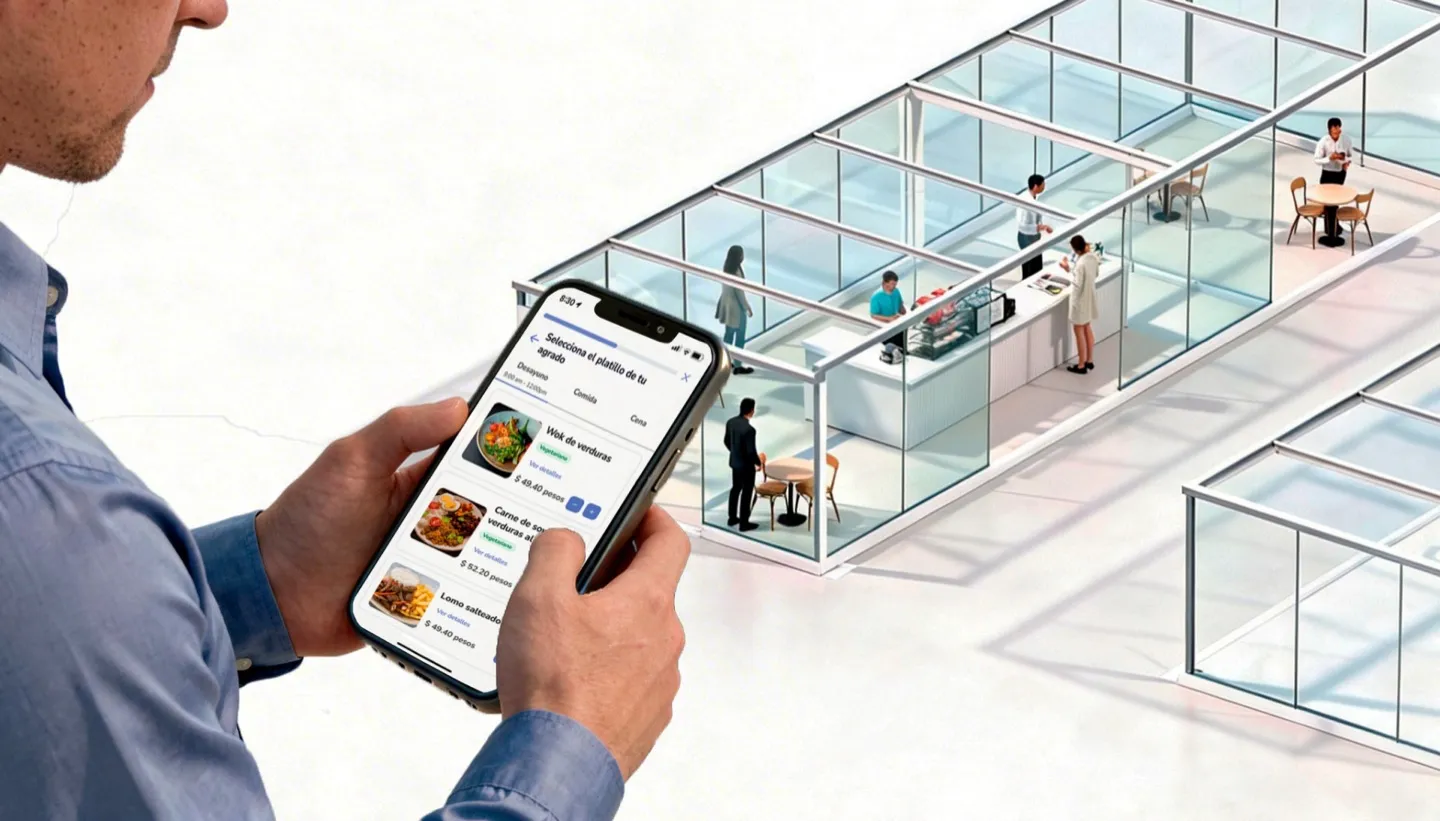
Let employees browse weekly menus, place food orders from their phone, and pick up meals without waiting in line — while your cafeteria team gets real demand data to reduce waste and control costs.
Free consultation • No commitment • Live in days, not months
Trusted by multinationals and leading enterprises worldwide




Your cafeteria is cooking blind
Most corporate cafeterias prepare food based on estimates and past habits. The result: too much food on slow days, not enough on busy ones, and thousands of dollars wasted every month on meals that end up in the trash.
Employees, meanwhile, have no visibility into what's being served until they're already in line. They can't plan ahead, can't avoid allergens easily, and can't skip the queue — so many just stop using the cafeteria altogether.
Parso Cafeteria Management connects employees to your kitchen with a digital ordering flow — so your cafeteria team knows exactly what to prepare, and your employees get the meal they want, ready when they arrive.
Order lunch before you leave your desk
See what's on the menu this week
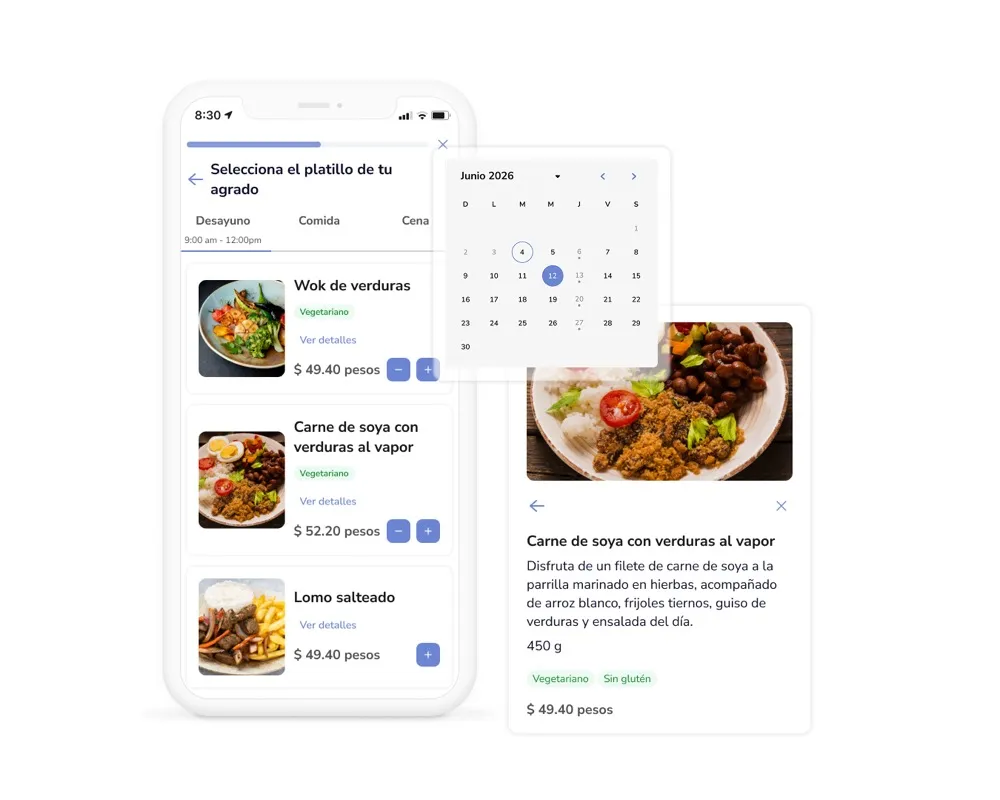
Employees open the app and browse the full weekly menu — organized by day, meal time, and cafeteria. Every dish shows a photo, description, price, and dietary tags like vegan, gluten-free, or spicy. No more mystery meals.
Build your meal in a few taps
Select the date, pick a meal time — breakfast, lunch, or snack — and add items to your order. Choose dine-in or takeaway, select a pickup time if enabled, and add any special notes for the kitchen. Confirm and you're done.
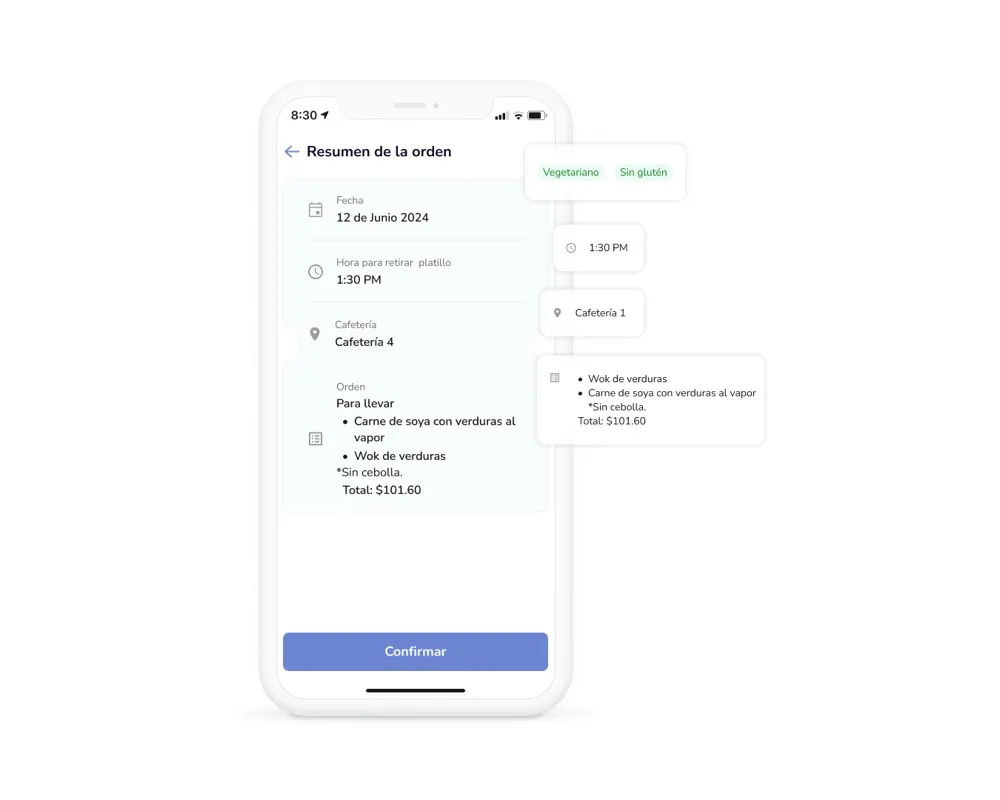
Your order, your QR code
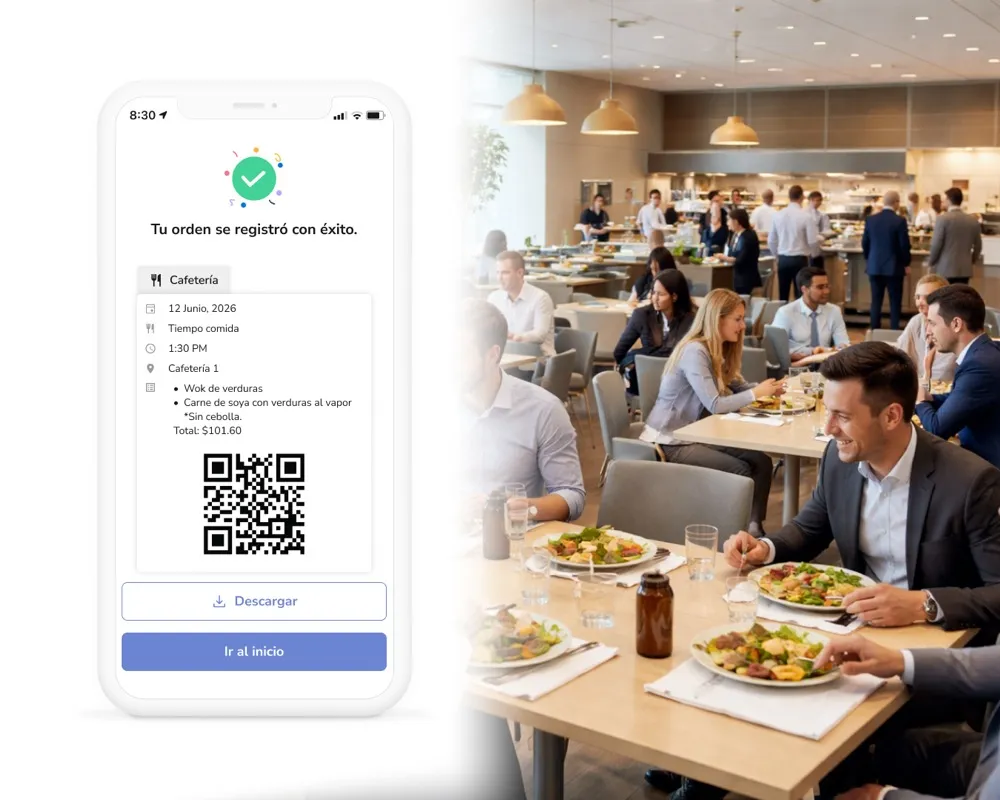
Once the order is confirmed, Parso generates a unique QR code tied to your meal. When you arrive at the cafeteria, show the code — the kitchen staff scans it, validates your order, and hands you exactly what you requested. No waiting, no confusion.
Skip the line, grab your meal
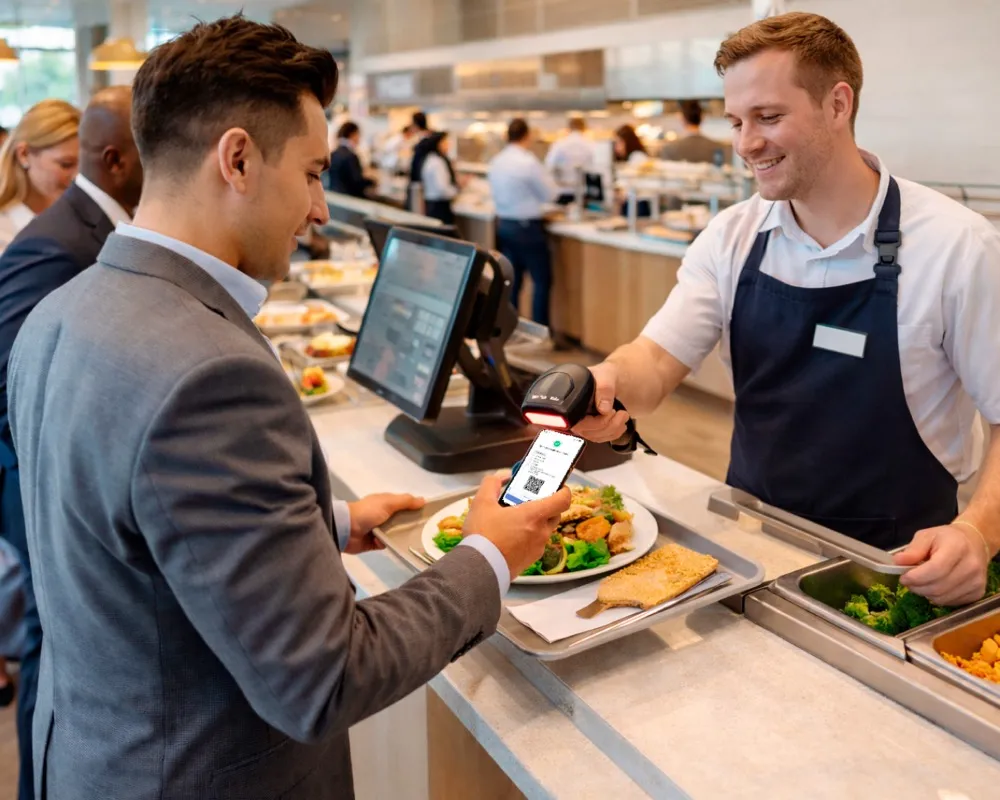
The cafeteria team sees all incoming orders for the day in real time — so your meal is ready when you arrive. Walk in, scan your code, pick up your food, and get back to work. The entire process takes seconds, not minutes.
Your kitchen team controls the menu — not a spreadsheet
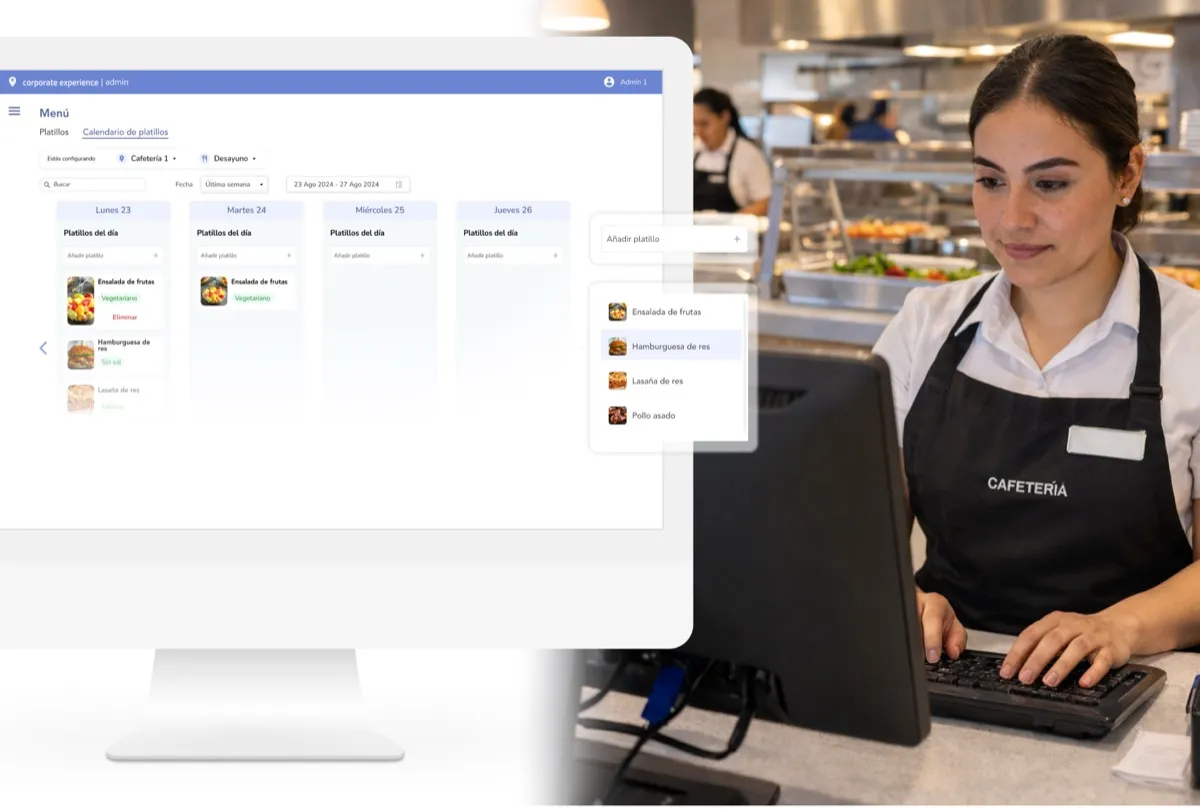
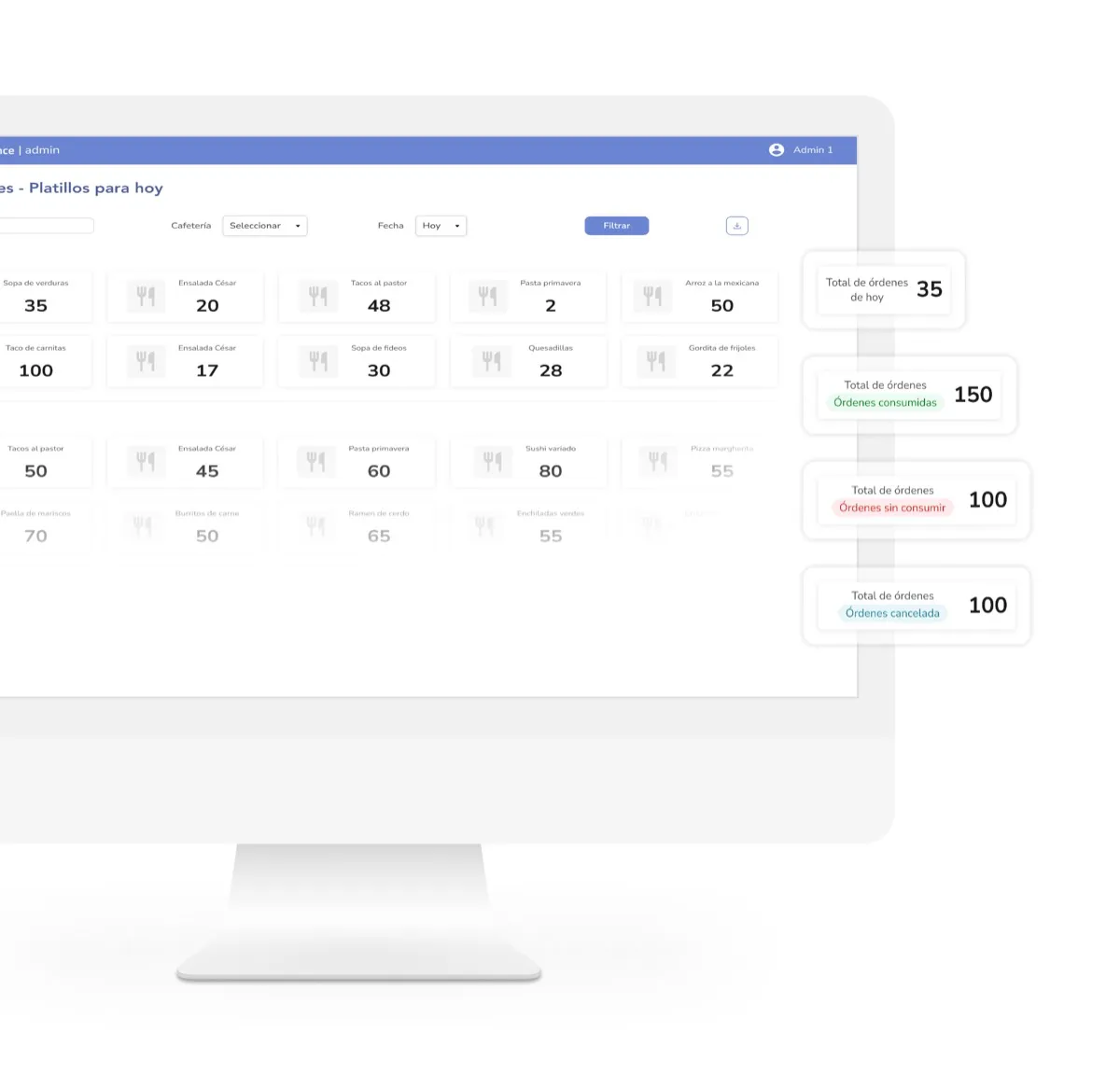
Parso gives cafeteria administrators a dedicated back office to manage menus, configure policies, and monitor orders — all from a clean, intuitive web interface. No paper menus, no WhatsApp groups, no guessing how much to prepare.
Everything you need in corporate cafeteria software
Dietary tags & allergen info
Tag every dish with dietary labels — vegan, vegetarian, gluten-free, spicy, and more. Employees filter by preference and avoid allergens without asking the kitchen.
Dine-in & takeaway options
Let employees choose whether they'll eat at the cafeteria or take their meal back to their desk. The kitchen prepares and packages accordingly.
Configurable meal times
Define custom meal periods — breakfast, lunch, afternoon snack — with their own schedules and menus. Each cafeteria can have different time windows.
Order policies & limits
Set rules like minimum lead time for orders, maximum active orders per employee, how far in advance people can order, and cancellation windows — so operations stay predictable.
QR code validation
Every order gets a unique QR code. Cafeteria staff scan it at pickup to validate and mark the order as fulfilled — fast, accurate, and no paper tickets.
Order cancellation windows
Employees can cancel orders within a configurable window — giving the kitchen enough time to adjust preparation while keeping flexibility for employees.
Pickup time selection
When enabled, employees select a preferred pickup time within their meal period. The kitchen uses this to stagger preparation and reduce queues.
Special notes for the kitchen
Employees can add free-text notes to their order — like "no onions" or "extra sauce" — so the kitchen can accommodate individual preferences.
Multi-item orders
Employees can add multiple dishes to a single order — a main course, a side, and a drink — all confirmed together with one QR code.
Know exactly what your cafeteria should prepare — every day
The biggest cost in any corporate cafeteria isn't ingredients — it's overproduction. Parso gives operations and facilities teams the data to match supply to actual demand, reduce food waste, and make smarter purchasing decisions.
Order from wherever you work
Parso's cafeteria module is built into the same app your employees already use for desk booking, parking, and room reservations — no extra downloads, no separate logins.
 Microsoft Outlook
 Google Calendar
 Microsoft 365
 Microsoft Teams
 Zoom
 Slack
 Okta
 Azure AD
Corporate cafeteria software FAQ
The cafeteria is just one part of the platform
Parso brings your entire workplace into one app. Explore what else you can manage.
Desk Booking
Give employees a fast, intuitive way to reserve desks — with real-time maps, smart rules, and no-show protection.
Explore Desk BookingMeeting Room Booking
Find and reserve the right room in seconds. With calendar sync, tablet displays, and smart release.
Explore Meeting Room BookingVisitor Management
Register guests, send invitations, and manage arrivals — all from the same app your team already uses.
Explore Visitor ManagementStop guessing what your cafeteria should prepare
See how Parso helps facilities and operations teams run smarter cafeterias — with digital ordering, real-time demand data, and zero food waste guesswork.
Free consultation • No commitment • Live in days, not months