Meeting rooms that run themselves
Let employees find and book the right room in seconds — while your workplace team gets full visibility into how meeting spaces are actually being used.
Free consultation • No commitment • Live in days, not months
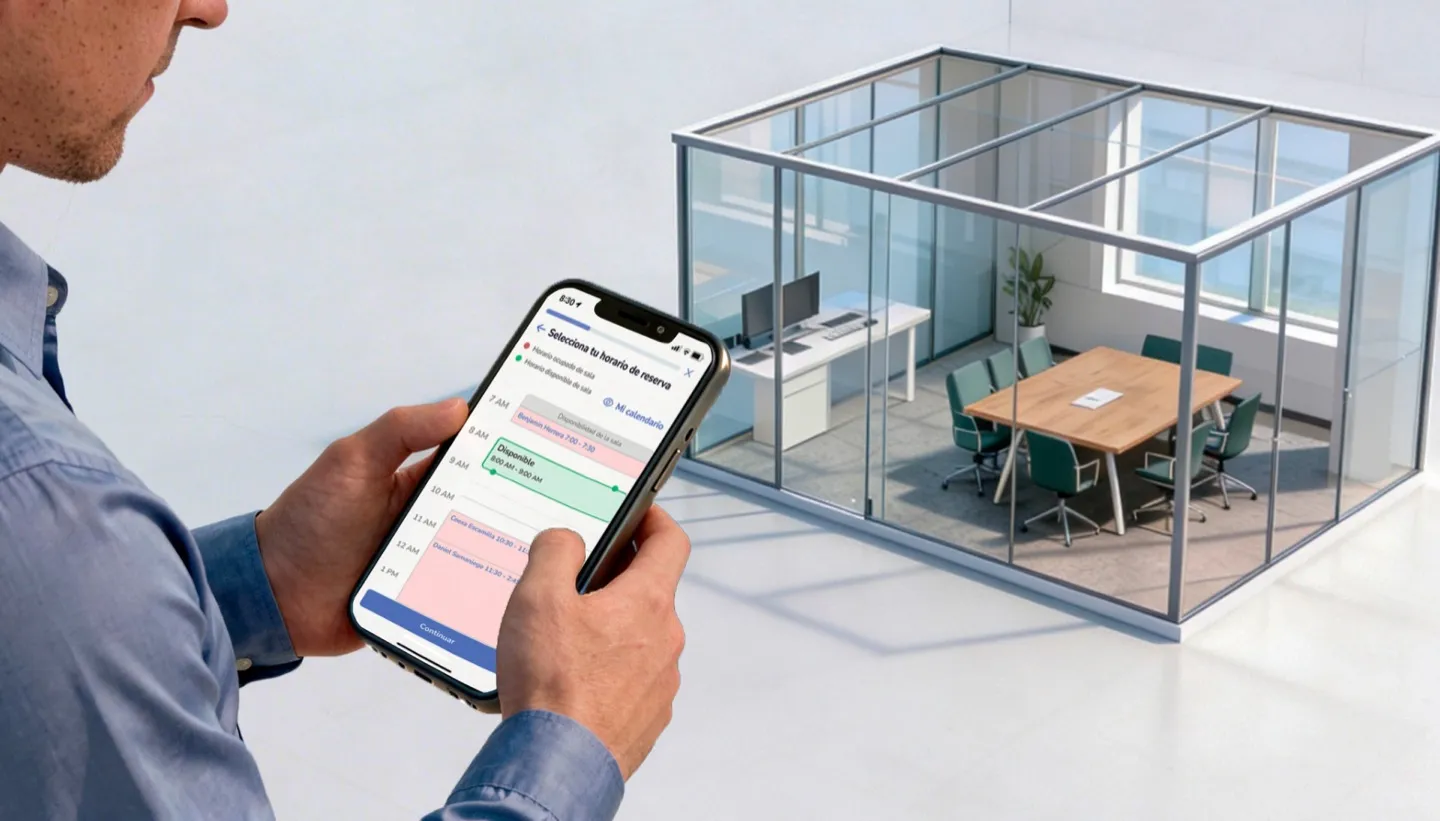
Trusted by multinationals and leading enterprises worldwide










Ghost meetings are costing you more than you think
In most offices, a large share of booked meeting rooms sit empty. Meetings get scheduled, people don't show up, and the room stays locked on the calendar while colleagues scramble to find space.
Meanwhile, workplace teams have no clear data on which rooms are overbooked, which are underused, and whether the company even needs the meeting space it's paying for.
Parso Room Booking solves both sides — with a frictionless booking experience for employees and real-time occupancy intelligence for the teams managing space.
Find and book the right room — from anywhere
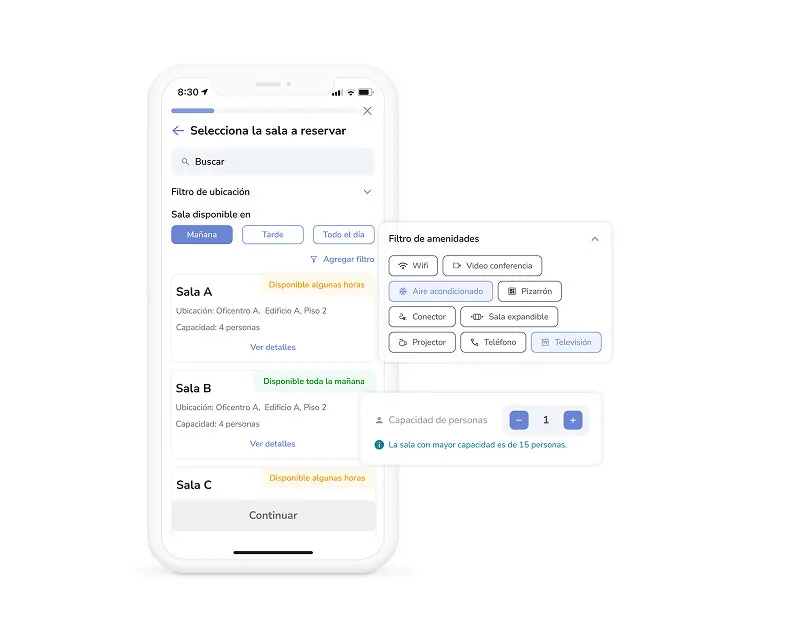
Search by capacity, amenities, or location
Need a room for 12 with a projector? A quiet huddle space for 3? Search by what matters — capacity, floor, building, or amenities like whiteboards, video conferencing, or speakerphones — and see only rooms that match.
See what's open right now
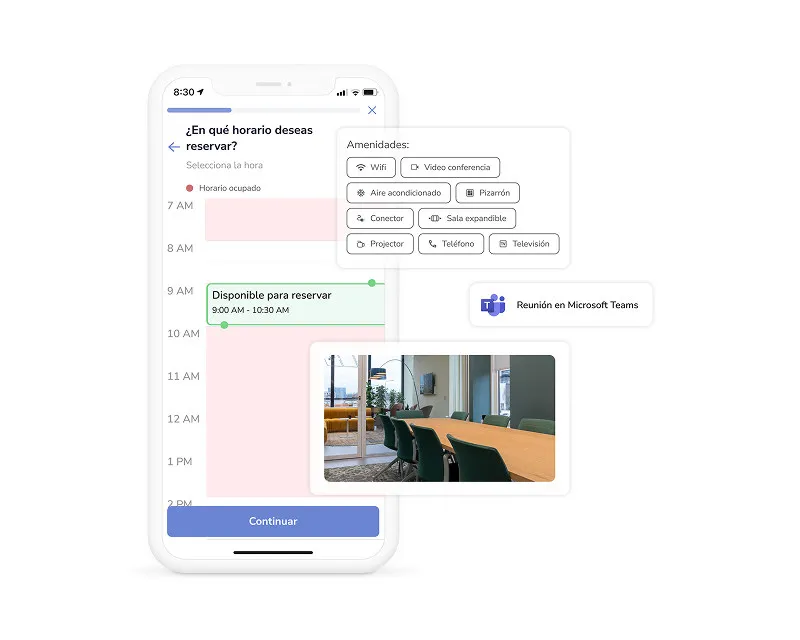
Every room shows its live availability timeline so you can pick a slot that works without back-and-forth. No more double bookings, no more guessing — just pick a time and confirm.
Book without leaving Outlook
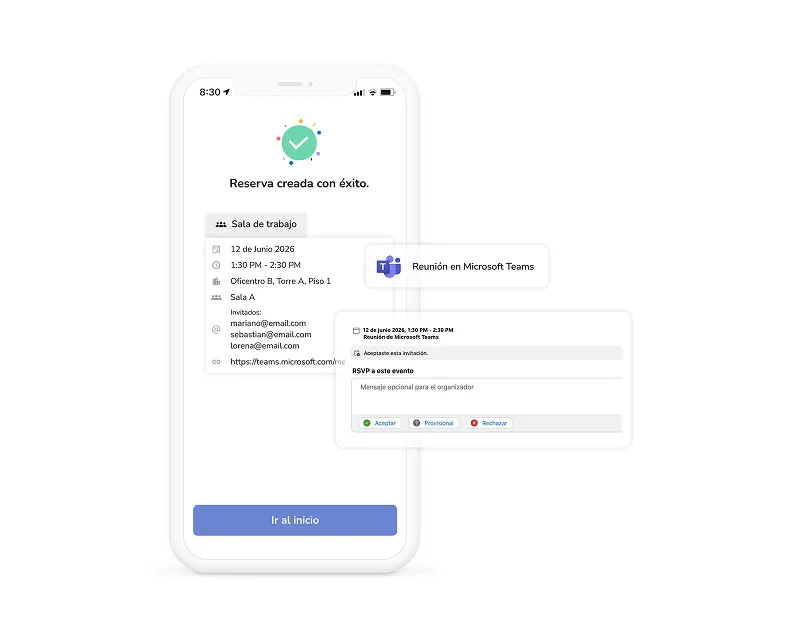
With Parso's Outlook plugin, employees can search for and add a room directly from the calendar event creation window — no need to open a separate app. The reservation syncs both ways: book in Parso, see it in Outlook. Book in Outlook, see it in Parso.
No-shows don't block the room
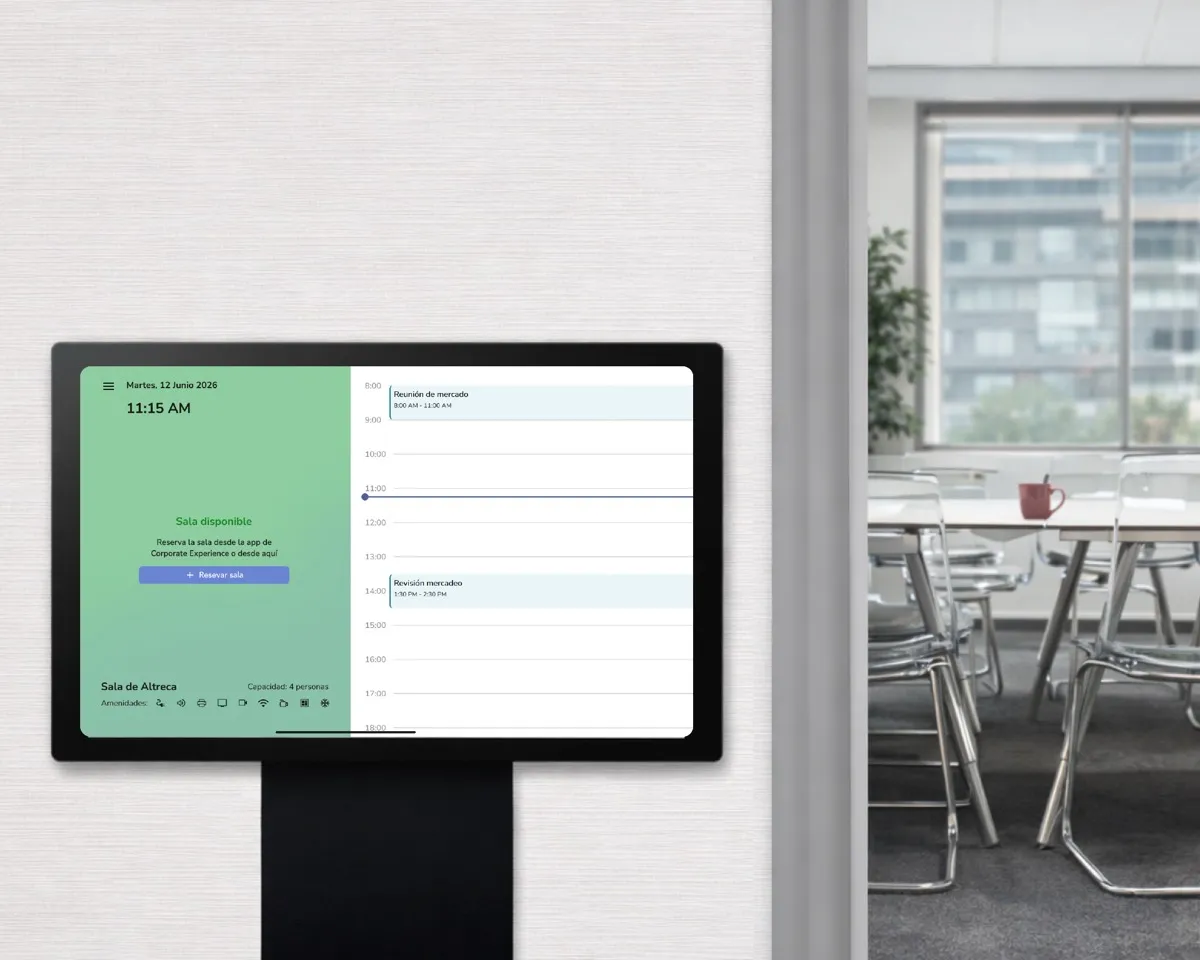
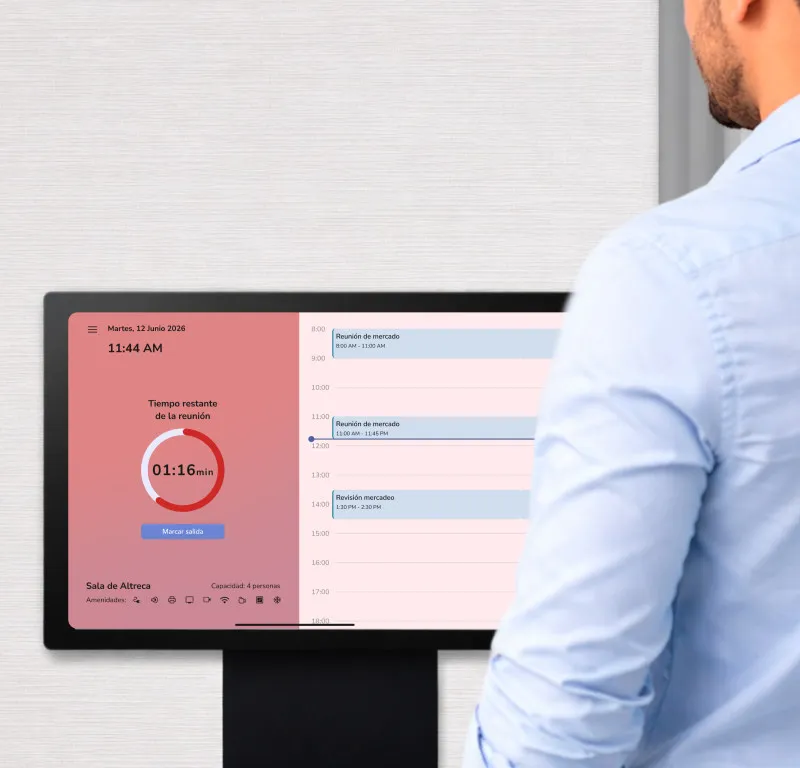
If nobody checks in within a configurable grace period, the room is automatically released and becomes available to others. Employees can check in through the app, a tablet display outside the room, or automatically via building access control.
A smart display outside every room
Install Parso's room display app on any Android tablet and mount it outside your meeting rooms. At a glance, anyone walking by can see whether the room is free, who booked it, and how much time is left.
Meeting room booking with full control over every room
Bidirectional calendar sync
Reservations sync both ways with Microsoft 365 and Outlook. A booking made in Parso shows in the calendar, and a calendar event with a room shows in Parso.
Approval workflows
Require admin approval for premium or executive rooms. Standard rooms stay self-service — you control the balance between access and oversight.
Maximum booking duration
Set time limits per room to prevent all-day holds. The executive boardroom caps at 2 hours? Easy — configure it per room.
Team-based access control
Restrict specific rooms to certain groups. The C-suite conference room is only bookable by executives and their assistants — everyone else sees rooms available to them.
Amenity tagging
Tag rooms with amenities like video conferencing, whiteboards, speakerphones, or natural light. Employees search by what they need, not by room name.
Automated no-show release
If nobody checks in within the grace period, the reservation is canceled and the room becomes available instantly — no admin intervention needed.
Room photos & details
Upload photos of each room so employees know what to expect before they book. Include capacity, floor, amenities, and any special instructions.
Booking reasons & categories
Optionally require a booking reason — client meeting, team standup, workshop — so workplace teams understand not just usage volume, but usage purpose.
Day-level room blocking
Block any room on specific dates for maintenance, special events, or office closures. Blocked rooms disappear from search results automatically.
See which rooms earn their keep — and which don't
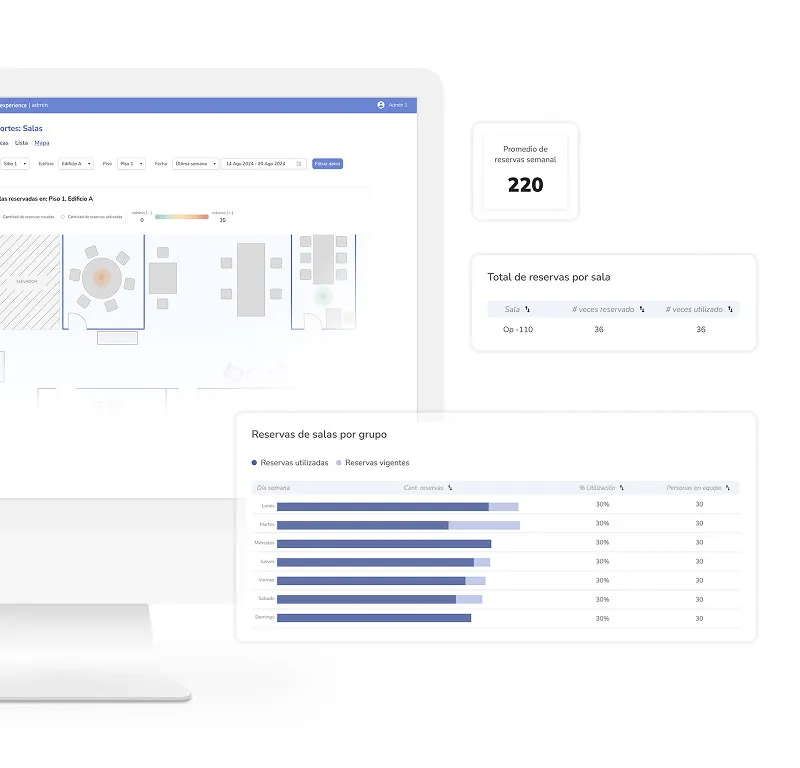
Most companies are paying for meeting rooms they don't need. Parso gives workplace leaders the data to prove it — with dashboards that show real occupancy, no-show rates, and usage patterns across every room.
Fits into the tools your team already uses
Parso connects with your calendar, communication, and identity systems — so booking a room is never more than a tap away.
 Microsoft Outlook
 Google Calendar
 Microsoft 365
 Microsoft Teams
 Zoom
 Slack
 Okta
 Azure AD
Meeting room booking FAQ
Room booking is just one part of the platform
Parso brings your entire workplace into one app. Explore what else you can manage.
Desk Booking
Give employees a fast, intuitive way to reserve desks — with real-time maps, smart rules, and no-show protection.
Explore Desk BookingParking Management
Let employees reserve parking before they leave home. With access control integration and automated spot release.
Explore Parking ManagementVisitor Management
Register guests, send invitations, and manage arrivals — all from the same app your team already uses.
Explore Visitor ManagementStop losing rooms to ghost meetings
See how Parso helps workplace teams take control of meeting rooms — with smart booking, auto-release, and analytics that actually drive decisions.
Free consultation • No commitment • Live in days, not months