A Workplace as Modern as Your Product
Tech companies compete for talent. Parso helps you deliver a seamless hybrid office experience — desks near teammates, parking sorted, meeting rooms ready — so your people can focus on building, not logistics.
Book a DemoIndustry Challenges
Hybrid Work Is the Expectation
Your engineers and product teams expect flexibility. But without the right tools, hybrid work means chaos — empty offices one day, overbooking the next.
Collaboration Suffers
Teams can't collaborate if they don't know who's in the office. People show up on different days and end up working alone at their desks.
Tool Overload
Your team already juggles Slack, Teams, Jira, and a dozen other tools. The last thing they need is another app with a learning curve.
Scaling the Office Experience
As you grow and open new offices, maintaining a consistent workplace experience becomes exponentially harder.
How Parso Solves It
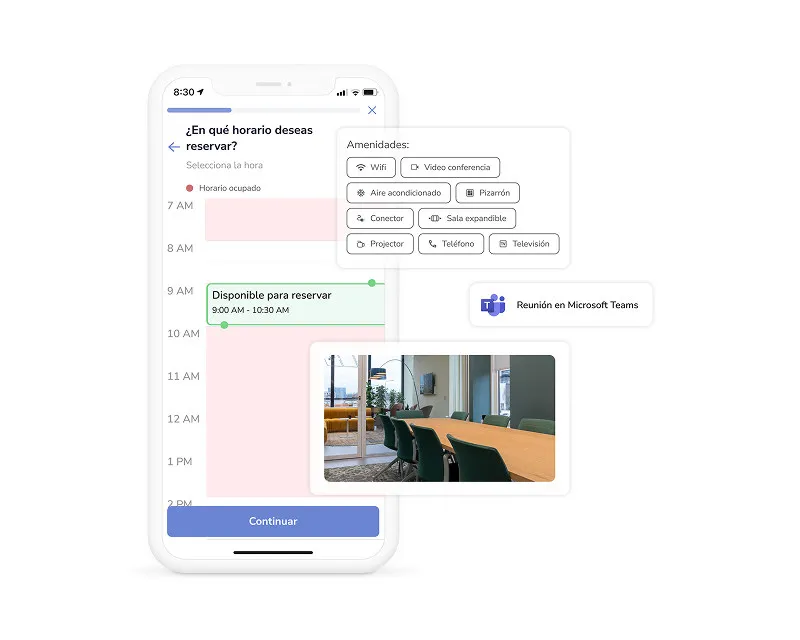
Intelligent Hybrid Scheduling
Bidirectional calendar sync with Outlook and Google means desk and room bookings flow seamlessly into employee calendars. Employees plan ahead, book a desk near their team, and reserve parking — all before leaving home.
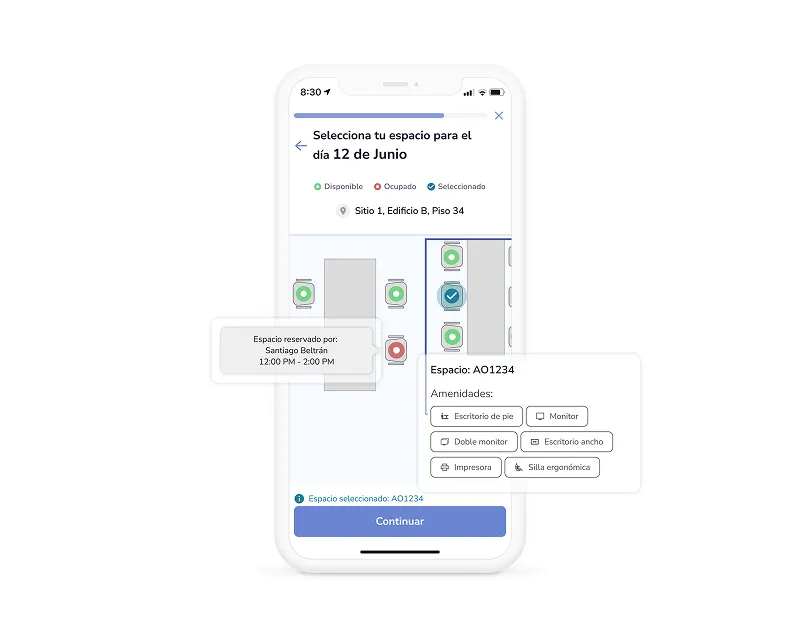
Team Proximity Booking
See when teammates are coming in and book desks nearby. No more showing up to an empty office or sitting across the building from your squad.
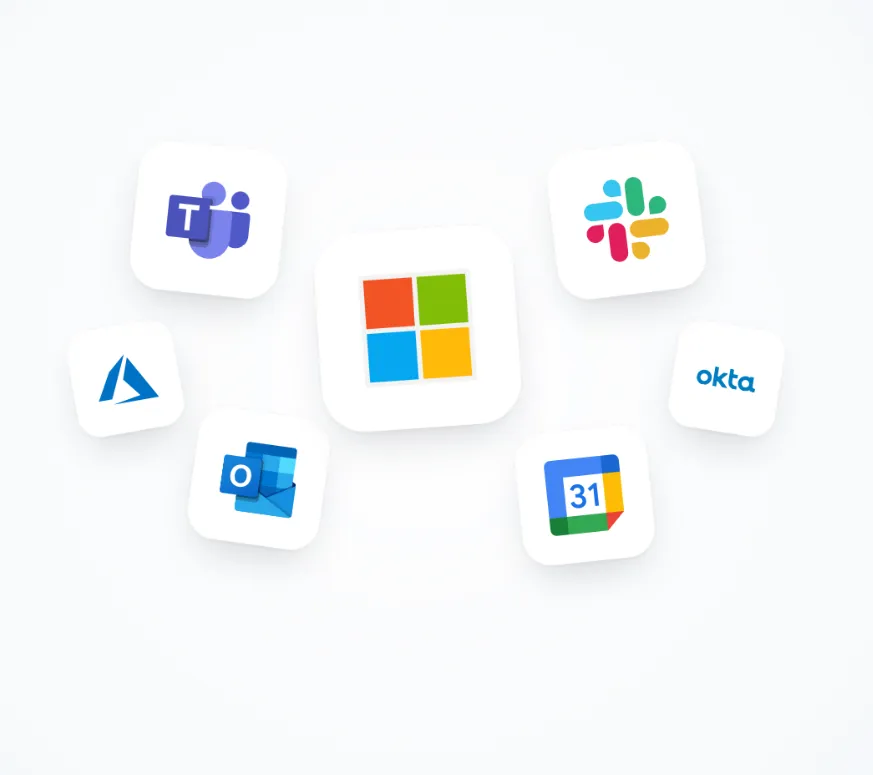
Lives Inside Your Stack
Dedicated Microsoft Teams app for booking, Outlook plugin for room search during event creation, and Slack bot for AI-powered service request tickets. Bidirectional calendar sync via Microsoft Graph. Available on iOS, Android, Web, and Teams — all with custom branding.
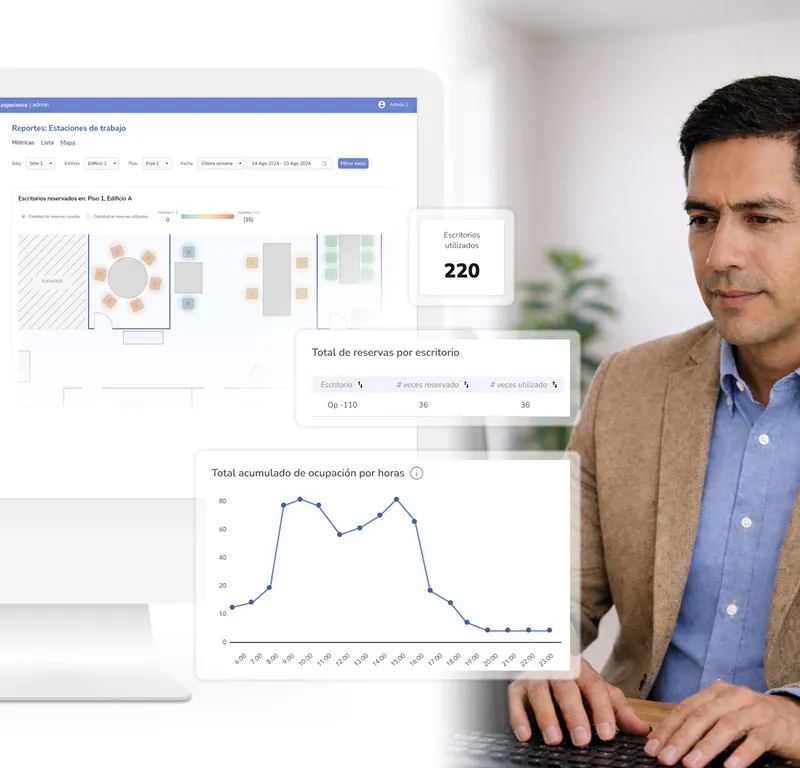
Scalable Multi-Office Platform
Roll out the same seamless experience to new offices in days. Set location-specific rules while maintaining a unified platform.
Customer story
Two technology companies, two starting points. Wind River, a global software company, moved its Costa Rica operation from administrative requests to self-service for rooms and desks. Experian, a global data and technology company, standardized desk, room, and parking booking across its Latin American offices.

Software Development
Space management moved from administrative requests to employee self-service.
Today our employees manage their own bookings and access, while we have more control, visibility, and time to focus on strategic work.

Data & Technology
Desk, room, and parking booking unified across four Latin American countries.
When we write to support, they resolve and close quickly, and the monthly report gives us visibility we didn't have before.
Inside a tech company's hybrid office
Engineering, product, and design teams don't need another app — they need the office to work like the rest of their stack. Here's an anchor day, start to finish, without anyone leaving the tools they already use.
The night before
The squad plans from Teams
A backend engineer opens Parso inside Microsoft Teams, sees which teammates are coming in tomorrow, and books a desk in the team's zone. The booking lands in her Outlook calendar automatically.
8:30
Shared ride, reserved spot
Two colleagues on the same route share a ride through carpooling, and the driver's parking spot was booked the night before. Badging in at the door checks them in — desks nobody claims are released for others.
10:00
Sprint planning in the right room
The product manager finds a room for ten with video conferencing straight from the Outlook event. The Zoom link is generated automatically and the tablet at the door shows the room is taken.
12:30
Lunch ordered before the meeting ended
Employees pre-order from the cafeteria menu, filter by dietary tags, and pick up with a QR code instead of standing in line.
14:00
A candidate's on-site interview loop
Recruiting pre-registered the candidate, who got a WhatsApp invitation with directions to the right building and floor. The hiring manager is notified the moment they check in — no lobby phone calls.
16:00
A broken monitor becomes a ticket in Slack
A designer messages the Slack bot about a dead monitor. AI categorizes it, sets the priority, assigns the right technician, and keeps her updated until it's resolved.
Desk booking and hybrid office software for tech companies
Every module runs in the same employee app — on iOS, Android, web, and Microsoft Teams — and reports into the same admin console.
Desk booking
Interactive floor maps, team zones, amenity filters, and automatic no-show release — plus occupancy by day, hour, and team.
Explore desk booking for hybrid teamsMeeting rooms
Search by capacity and amenities, book from Outlook, check in on any Android tablet at the door, and let ghost bookings release themselves.
See meeting room bookingAI service requests
Employees report issues in plain language from the app, Teams, or Slack. AI triages, routes, and tracks every ticket against its SLA.
Explore AI service requestsVisitor management
Candidates, partners, and customers get WhatsApp or email invitations with directions, and hosts are notified on arrival.
See visitor managementCarpooling
Route matching, driver-approved seats, and a group chat per trip — and fewer cars competing for the same parking.
Explore corporate carpoolingCafeteria
Weekly menus, pre-orders, dietary tags, and QR pickup, with data on which dishes get ordered and which go uncollected.
See cafeteria orderingWhat to look for in office booking software for tech companies
Your IT team will judge it on integration and security; your employees will judge it on whether it's faster than messaging a colleague. It has to pass both.
It lives where people already work
A Microsoft Teams app, an Outlook plugin, a Slack bot, and two-way sync with Microsoft 365 and Google Calendar — so booking isn't another tab to remember.
SSO and directory sync
SSO via Azure AD / Entra ID, Okta, Google Workspace, and Active Directory, with your user directory synced through Microsoft Graph — so onboarding and offboarding follow your identity provider.
A security posture your IT team can sign off
Azure hosting with auto-scaling, a web application firewall, database replicas, and 24/7 monitoring; tenant data isolation and audit trails on every change.
Data you can actually query
CSV exports of booking history and a data API you can connect to Power BI or any BI tool — not just a dashboard you can look at.
Ready for the next office
New sites and countries are added to the same platform with their own capacity, rules, and access groups, and the app works in Spanish, English, and Portuguese.
Your brand, not ours
The app carries your company's colors and identity, so it feels like part of your internal tooling rather than a third-party tool.
From first office to every office: how rollout works
Tech companies tend to pilot fast and expand as they hire. The process is built so the next office takes configuration, not a new project.
- 1
Discovery
Understand your hybrid policy, anchor days, team neighborhoods, and the tools your people live in every day.
- 2
Configuration
Load floor maps, set team zones, advance booking windows, and no-show release times.
- 3
SSO and integrations
Connect your identity provider, Microsoft Graph or Google Calendar, the Teams app, the Outlook plugin, Slack, and Zoom.
- 4
Pilot
Launch with one floor or a handful of teams, watch the occupancy data, and adjust rules with Parso's support team.
- 5
Rollout
Open it to the whole company, then add each new office as you grow — same experience, location-specific rules.
Parso goes live in days, not months. The exact timeline depends on your sites and integrations, and we define it clearly in your proposal.
Zero-friction
booking from Teams and Outlook
Higher
in-office collaboration days
Scales
effortlessly to new offices