Enterprise-Grade Workplace Software That IT Can Trust
Parso integrates with your existing Microsoft 365 or Google Workspace stack, respects your security policies, and deploys without disrupting your infrastructure.
Book a DemoChallenges You Face Every Day
Yet Another Tool to Support
Every new SaaS tool means more integrations to build, more security reviews, and more support tickets. You need solutions that fit into your existing stack, not fight against it.
Security & Compliance Concerns
The workplace management tool handles employee data, visitor information, and access patterns. It needs to meet your organization's security standards — not create new vulnerabilities.
Integration Headaches
Calendar sync that breaks, SSO that doesn't work, APIs that are undocumented — bad integrations create more work than the tool saves.
Shadow IT Risk
Without an official workplace booking tool, teams use random spreadsheets, WhatsApp groups, or personal apps — creating data silos and security gaps.
How Parso Solves It
Native Microsoft 365 & Google Integration
Parso has a dedicated Teams app, an Outlook plugin for room search during event creation, and bidirectional calendar sync via Microsoft Graph. Employees book from the tools they already use.
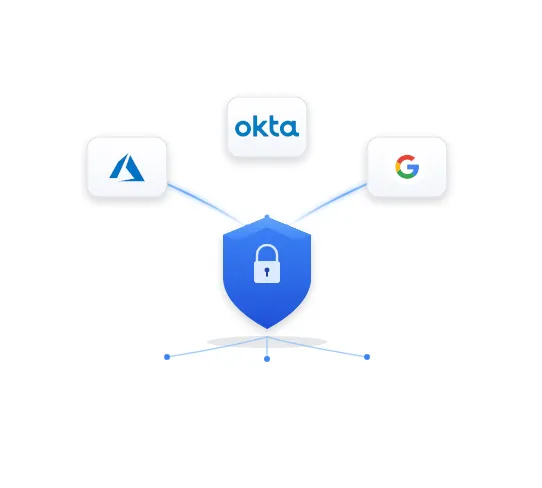
Enterprise Security Architecture
SSO via Azure AD / Entra ID, Okta, Google Workspace, and Active Directory. Azure-hosted infrastructure with auto-scaling, a web application firewall, database replicas, and 24/7 monitoring.
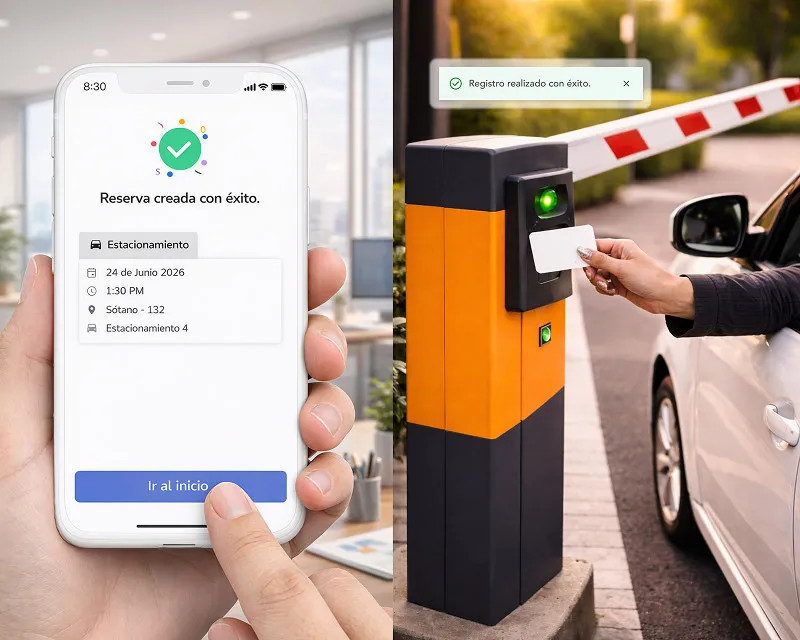
RESTful API & Pre-Built Connectors
RESTful API, webhooks, PowerBI integration for custom dashboards, and pre-built connectors for access control systems and parking gates. Integration is measured in days, not months.

One Platform, Zero Shadow IT
iOS, Android, Web, and Teams apps — all with custom branding. Service requests flow through AI-powered conversational tickets in Teams or Slack. IT supports one platform instead of chasing a dozen unofficial ones.
Days
to deploy with existing Microsoft/Google stack
Enterprise
grade security and data isolation
1 platform
replaces multiple point solutions
How Parso fits your Microsoft 365 or Google Workspace stack
Workplace management software touches identity, calendars, physical access, and data. Here is every point where Parso connects to what you already run — and nothing it asks you to replace.
Identity and directory
- SSO with Azure AD / Entra ID, Okta, Google Workspace, and Active Directory
- Automated user provisioning with Okta: access on day one, revoked on departure
- User directory sync through Microsoft Graph
Calendars and collaboration
- Bidirectional Outlook and Microsoft 365 sync, plus an Outlook plugin for room search
- Google Calendar sync for Google Workspace companies
- Teams app, Slack notifications and tickets, automatic Zoom links
Physical access
- Building access control that checks employees in as they badge in
- Parking gates and barriers tied to active reservations
- Existing access cards — no proprietary hardware
Data and automation
- RESTful API for custom integrations and data export
- Webhooks when a booking is created, modified, or cancelled
- Power BI connection and custom integrations built with our engineers
Full connector list on the Parso integrations page. For access-controlled parking, see parking gate integration.
Customer story
Experian runs Parso as a single booking platform across offices in several Latin American countries, with access integrated into its corporate Microsoft authentication — employees sign in with the credentials they already use.

Security questions IT should ask any workplace platform vendor
Use these in your next vendor review. Our answers are next to each question, so you can compare like for like.
Which identity providers do you support, and is provisioning automated?
Parso: Azure AD / Entra ID, Okta, Google Workspace, and Active Directory for SSO; automated provisioning with Okta and directory sync via Microsoft Graph.
Where is the platform hosted, and how does it scale?
Parso: Azure-hosted infrastructure with auto-scaling, database replicas, and 24/7 monitoring.
How is the application protected at the edge?
Parso: traffic passes through Cloudflare and a web application firewall before it reaches the application.
How is our data separated from other customers, and what is logged?
Parso: data is isolated per tenant, and every booking, visitor, and change is recorded with full audit trails.
Can we get data out without exporting spreadsheets by hand?
Parso: yes — a RESTful API, webhooks for booking events, and a Power BI connection for analytics teams.
What do we have to deploy on site?
Parso: no proprietary hardware. Room displays run on off-the-shelf tablets, employees use existing access cards, and the front desk app keeps working offline.
IT's role in a Parso implementation
Parso goes live in days, not months. The exact timeline depends on your sites and integrations, and we define it clearly in your proposal. IT's work is concentrated in one phase — not spread across the life of the tool.
- 1
Discovery
A technical session maps your identity provider, calendar platform, access control vendors, and any systems that need booking data.
- 2
Configuration
Facilities owns spaces, maps, and booking rules in the admin console, so IT isn't the bottleneck for every floor change.
- 3
SSO and integrations
IT connects SSO and provisioning, enables calendar sync and the Teams app, and links access control or parking gates where they exist.
- 4
Pilot
A pilot group validates sign-in, calendar sync, and check-in flows end to end before anything reaches the whole company.
- 5
Rollout
Employees sign in with credentials they already have. Day-to-day questions go to Parso support in Spanish, English, or Portuguese — not to your service desk.
Employees report building and facilities issues from Teams or Slack through AI service requests. Licensing details are on the pricing page, and more deployments are in our customer case studies.